Everything Kinode Media Server does
All of it is in the free download, and there is no paid version to unlock. This page lists what the self-hosted home media server and its apps do today. The documentation has the details.
Libraries and browsing
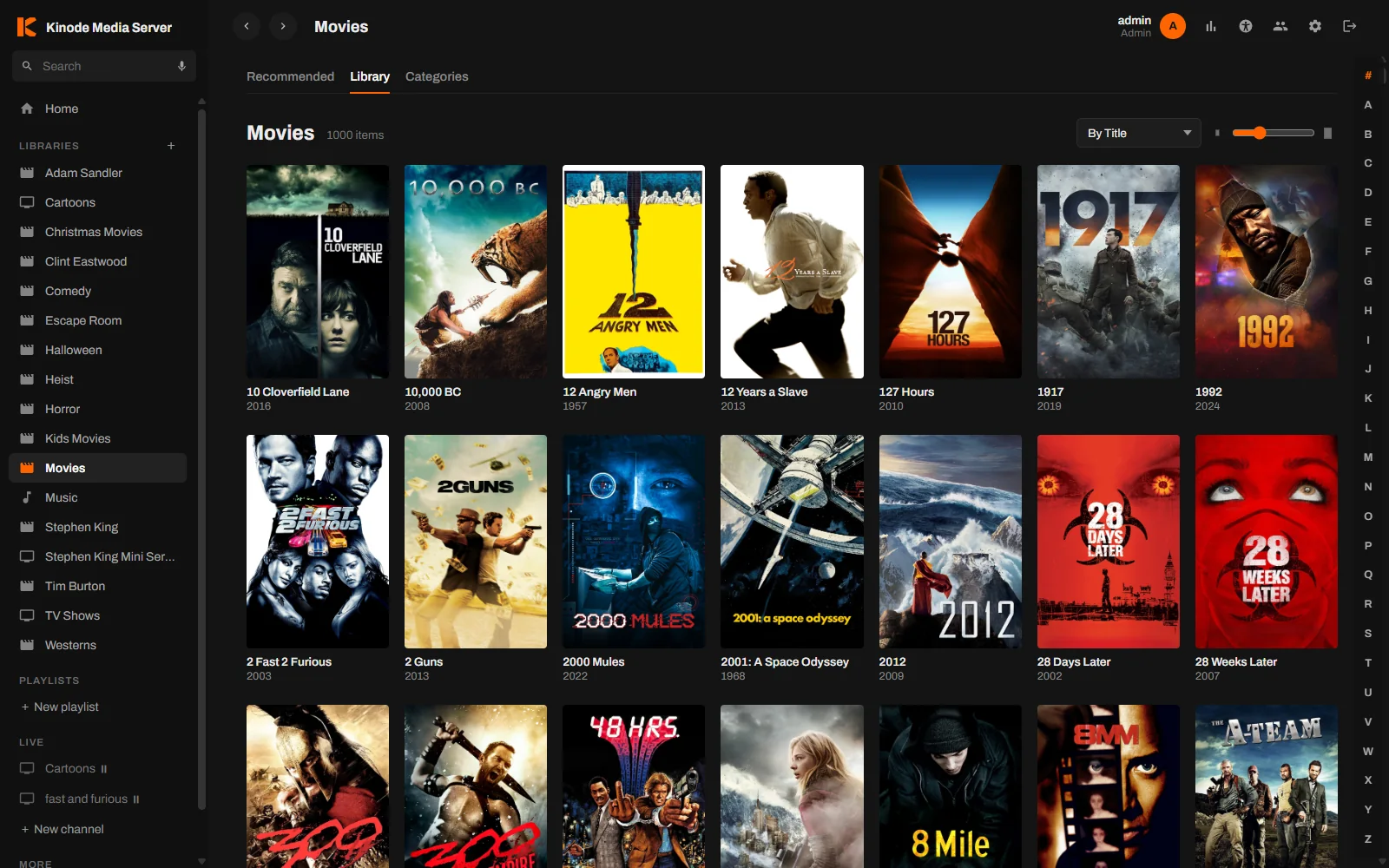
Your personal media library of movies, TV shows and music, from your own drives, with no limit on library size.
Built-in scanner
Point a library at as many folders as you like. The scanner reads each file, and posters, summaries and cast are filled in afterwards. Libraries rescan themselves every night at 3 AM.
Filters and sorting
Filter by genre, year, decade, content rating, resolution, codec, studio or watched state, sort by any column, and switch between a poster grid and a list.
Collections
Franchise collections are built from your metadata and grouped on a Collections tab. A movie page shows the rest of its collection, more from the same director and similar titles.
Search
Word order and punctuation are ignored, and the TV app takes voice searches.
Trailers, cast and people
Movies have a trailer and a cast list with photos. Each person has a page with a biography and everything else of theirs on your server.
Playback
Files play as they are whenever the device can handle them.
Hardware transcoding
When a file has to be converted, the server uses the graphics hardware if the machine has it. A complete ffmpeg is bundled, so unusual files play instead of failing.
Readable activity
The activity page lists every stream, and when a file is being converted it names the codec or setting that caused it.
Skip intro and credits
Intros are found by comparing the episodes in a season, so the skip button appears without any setup. Intro and credits markers can also be imported from Plex.
Subtitles
Embedded and sidecar subtitles, downloads from OpenSubtitles with your own API key, and a Generate subtitles button for files that have none.
Equalizer
A ten-band equalizer and audio normalization apply live in the player, with settings saved per profile.
Seek previews
Hovering the seek bar shows a frame from that point. Preview strips are built in the background.
Casting
Cast to a Chromecast from the web player or the Android app. While the TV plays, the phone works as the remote.
Apps
Sign in once with a Kinode account and your servers appear in every app.
Web player
Works in any modern browser and can be installed from Chrome or Edge.
Android and Google TV
Phones, tablets and TVs. Save titles for offline viewing as the original file or a 1080p or 720p copy the server prepares. Coming to Google Play.
Roku
Streaming players and Roku TVs. Coming to the Roku Channel Store.
Phone as remote
The Android app lists the players on every server on your account and controls them with play, pause, seek, next and stop.
Sharing and family
Everyone gets their own history, and you decide what each person can see.
Library sharing
Share specific libraries with family or friends instead of the whole server, and set a maximum content rating for each person.
Profiles
Each person in the house gets a profile with their own Continue Watching, ratings, watchlist and playlists, with an optional PIN.
Kid profiles
Kid mode applies a rating limit, and daily time limits and bedtimes stop playback when they are reached.
Watch Together
Start a room and send the five-character code. Playback stays in sync for everyone in the room, with a chat panel next to the video.
Requests
People can ask for movies, shows and music. Requests can be sent to Radarr, Sonarr and Lidarr automatically.
Live channels
Your own library as a channel that is always on.
Channels from your media
Build a channel from a collection or a library and it plays around the clock. Everyone who tunes in sees the same thing at the same point.
Pause and stop
Pausing holds a channel where it is for everyone, and stopping takes it off the air until you start it again.
Music
Music libraries get the same care as movies.
Every format plays
MP3, FLAC and the usual formats play untouched. WMA, APE, DSD, AIFF and the rest are converted as they play, so nothing in your personal media library is left out on any device.
Hi-Res and lossless
Lossless and Hi-Res badges, with the bit depth and sample rate on the Now Playing screen. Pick a lower quality per listener for phones on the go.
Now Playing and the queue
A full screen player with lyrics and an editable queue: play next, add to queue, drag to reorder, save as a playlist. The queue is still there tomorrow.
Synced lyrics
From .lrc files, from the tags inside your music, or looked up on the open LRCLIB database. Select a line to jump to it. Owners can fix and sync lyrics themselves.
Liked songs and mixes
Heart any track. Mixes such as Most played, Forgotten favourites and Never played are made from your own listening, on your own server.
Playlists
Add whole albums or artists at once, reorder by dragging, add a description, and import or export M3U playlists from other players.
Leveling the way albums were mastered
ReplayGain tags or the server's own loudness measurements, by track or by album, with a clipping guard. Gapless playback and crossfade that leaves albums alone.
Radio and sleep timer
Start radio from any track, or let it carry on when the queue ends. A sleep timer fades the music out after a set time or at the end of the track.
Artist pages
Artists have a photo, a biography and the band members, taken from MusicBrainz and Wikipedia, plus their top tracks and the albums they appear on.
ListenBrainz
Send your listens to ListenBrainz, the open listening history service, with a token per profile.
Audiobooks
Anything longer than fifteen minutes resumes where you stopped, and the music bar has a speed control.
Remote access
Self-hosted streaming away from home, at no cost.
HTTPS without setup
Each connected server gets its own DNS names and a trusted certificate from the Kinode hub, and the certificate renews itself. Remote streams are encrypted on the port you already forwarded.
Local connection first
When a phone or TV is on the same network as the server, it connects directly instead of going out through the internet.
Works without this website
Sign-in tokens are checked by your own server. If kinode.tv went offline, your server and apps would keep playing.
Offline alerts
If your server stops checking in, the hub sends you one email, and another when it comes back.
Running the server
One signed installer for Windows 10 and 11, 64-bit and ARM, and packages for 64-bit Linux.
Runs as a service
On Windows the server installs as a service and starts with the machine, with a tray app for quick access, and can also run in a window. On Linux it is a systemd service, with kinodectl for status, restarts and logs.
Health panel
Plain checks for the library database, the transcoder, hardware encoding, the hub connection, remote access and free space on every library drive.
Backups
A one-click backup downloads the file that holds accounts, profiles, watch history and playlists.
Statistics and Rewind
See what gets watched, and give each profile a year in review with hours watched, longest streak and top titles.
Discord bot
An optional bot announces new additions, searches the library and plays music in voice channels.
Plugins
Add features with plugins, including library assistants that work with OpenAI, Claude, DeepSeek, Ollama and LM Studio. Every listed plugin is reviewed first.
Try it on your own library
Setup takes about a minute. Install it on the computer that holds your media, add your folders, and open it in a browser.